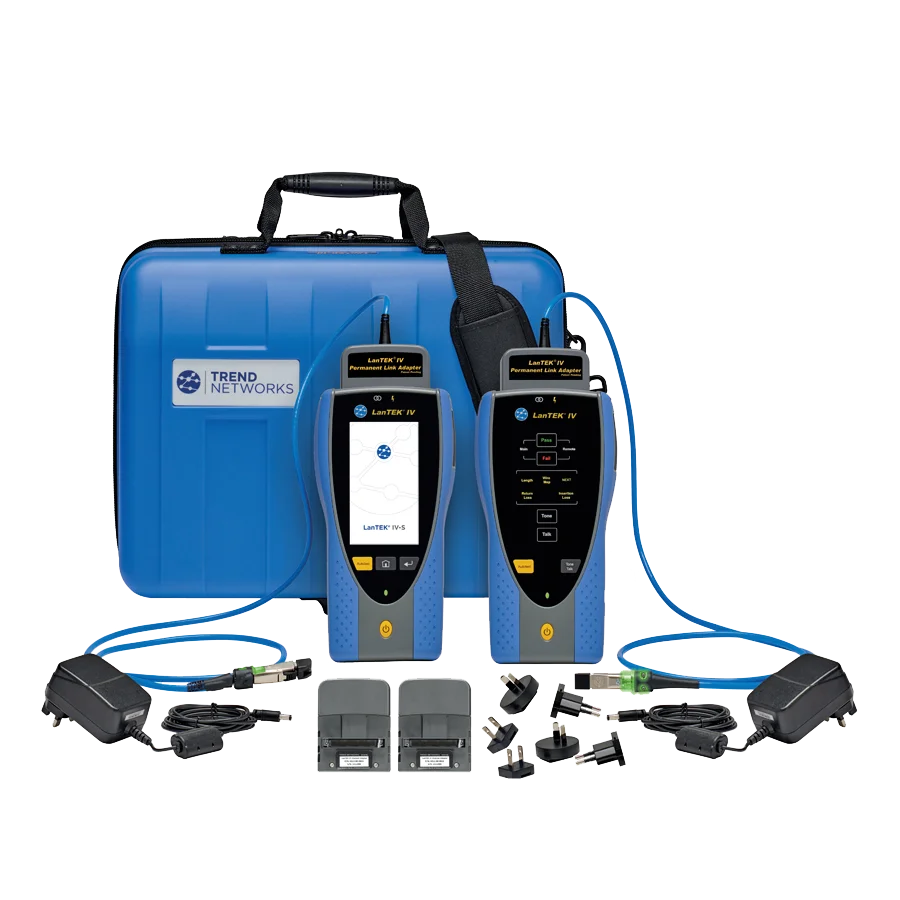
The LanTEK IV-S 3000MHz Copper Cable Certifier by Trend is an advanced certification device designed for testing and troubleshooting network cables up to 3000 MHz.
This tool, providing accurate results and advanced features, is an ideal choice for network engineers and technicians to ensure optimal performance of cabling infrastructure.
The LT4-3000S device utilizes modern technologies to facilitate precise testing of Cat5e, Cat6, Cat6A, and Cat7 cables, allowing users to assess the connection quality and performance of cables in various industrial and commercial environments.
Key Features of the LanTEK IV-S 3000MHz Copper Cable Certifier by Trend
- Supports frequencies up to 3000 MHz for testing Cat6A cables and above
- Copper cable certification in accordance with IEEE 802.3 and ISO/IEC standards
- High-resolution color touch screen for easy readability in various environments
- Capability to store test results and connect to network management software
- Ergonomic and impact-resistant design for use in industrial environments
- Supports PoE and PoE+ protocols for testing power over network cables
Technical Specifications
| Feature | Value |
|---|---|
| Test Frequency | Up to 3000 MHz |
| Supported Cable Types | Cat5e, Cat6, Cat6A, Cat7 |
| Display Type | Color Touch Screen |
| Testing Standards | IEEE 802.3, ISO/IEC |
| Result Storage Capability | Yes |
| PoE Support | Yes |
Frequently Asked Questions
Is this device suitable for testing fiber optic cables?
No, the LanTEK IV-S 3000S device is specifically designed for testing copper network cables and is not intended for fiber optic cables.
Can the LanTEK IV-S 3000MHz Copper Cable Certifier by Trend connect to a computer for managing results?
Yes, this device can connect to a computer and network management software to centralize and analyze test results.
Conclusion
The LanTEK IV-S 3000MHz Copper Cable Certifier by Trend is a professional and reliable tool for testing and certifying network cables, providing advanced capabilities and high accuracy that allow users to optimize their network infrastructure.
This device, with its robust design and touch screen display, offers an easy and efficient user experience for network engineers and technicians.