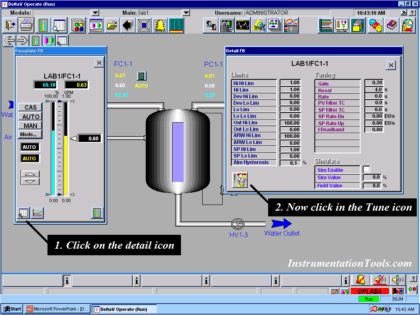
To tune a loop in the DeltaV system: open the operator display (faceplate) for the loop in question:
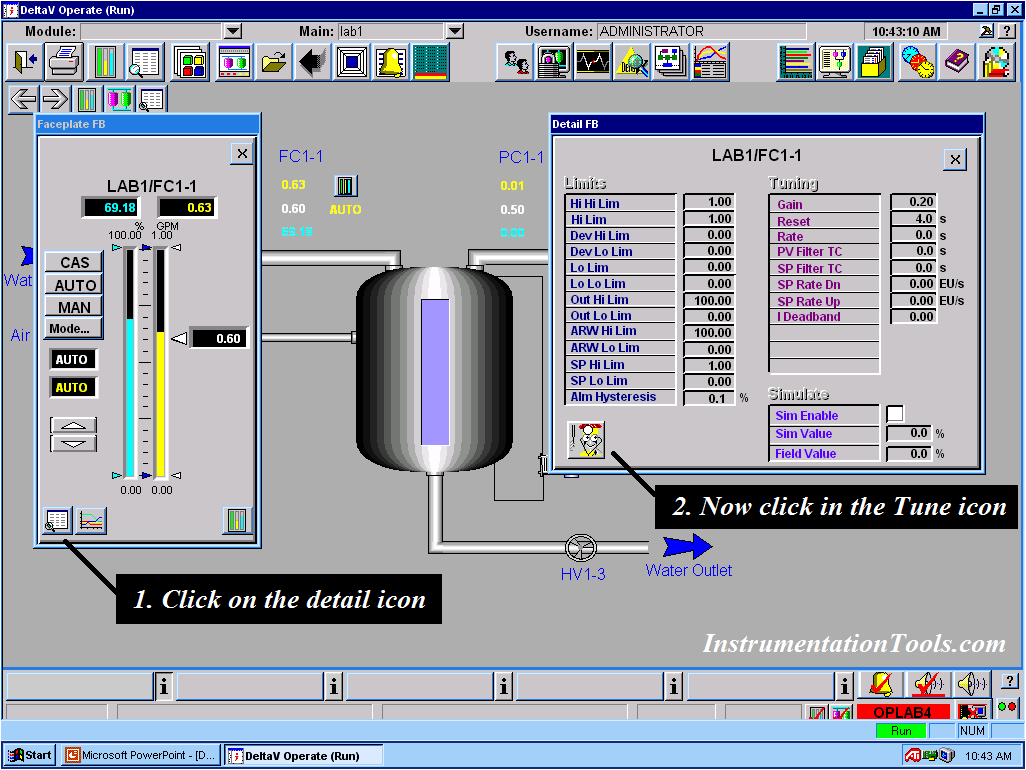
1- Click on the details icon as shown in the figure.
2- In the next step, click on the Tune icon.
Note: In the options section, make sure that the 'Expert' option is checked.
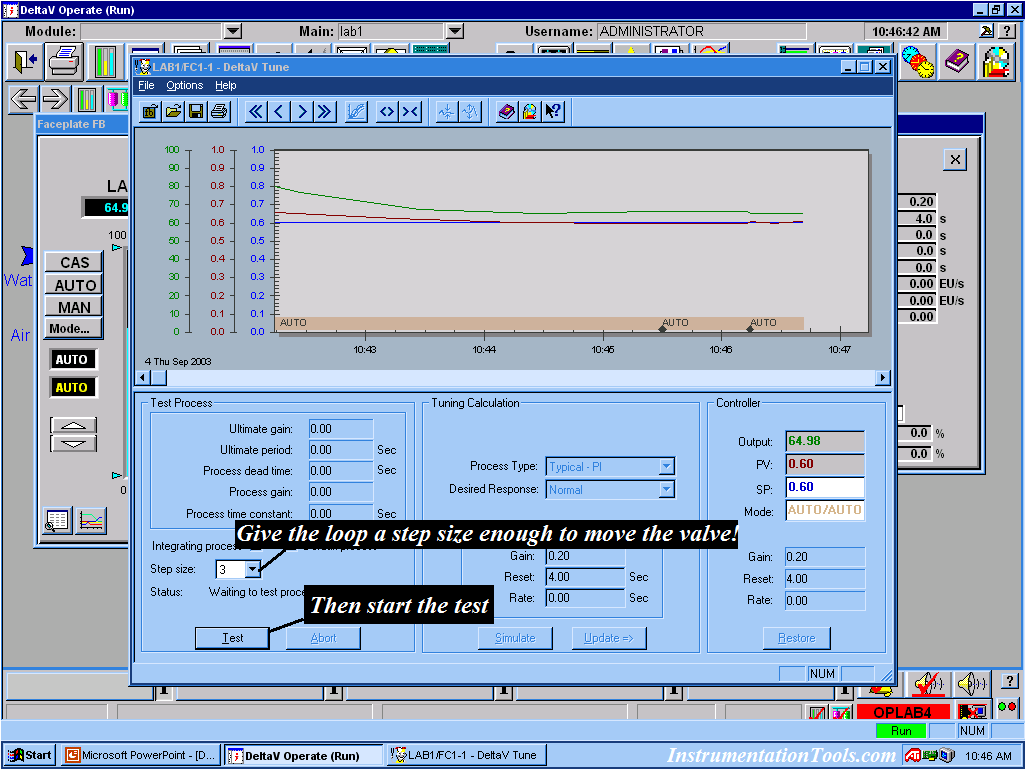
You can change the process type and also the desired response.
Step the loop to move the valve.
Then click on Test to start the testing process.
Click on Update to set the controller settings to the values calculated by the tuner.
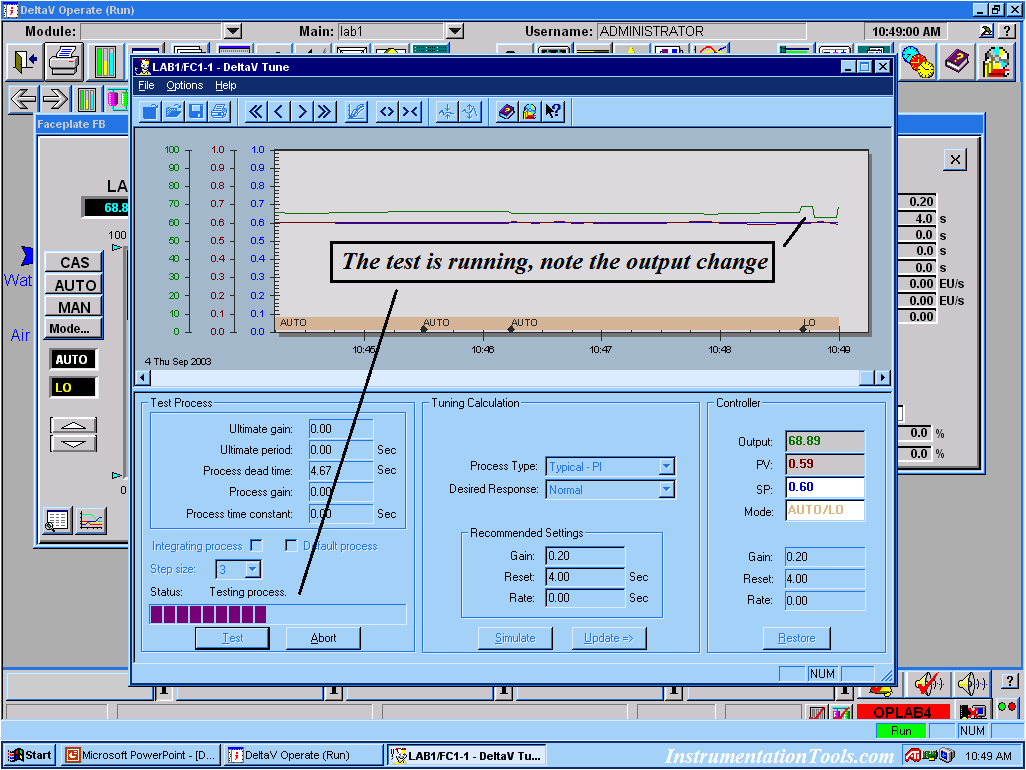
Now the test begins, and note the result of the changes.
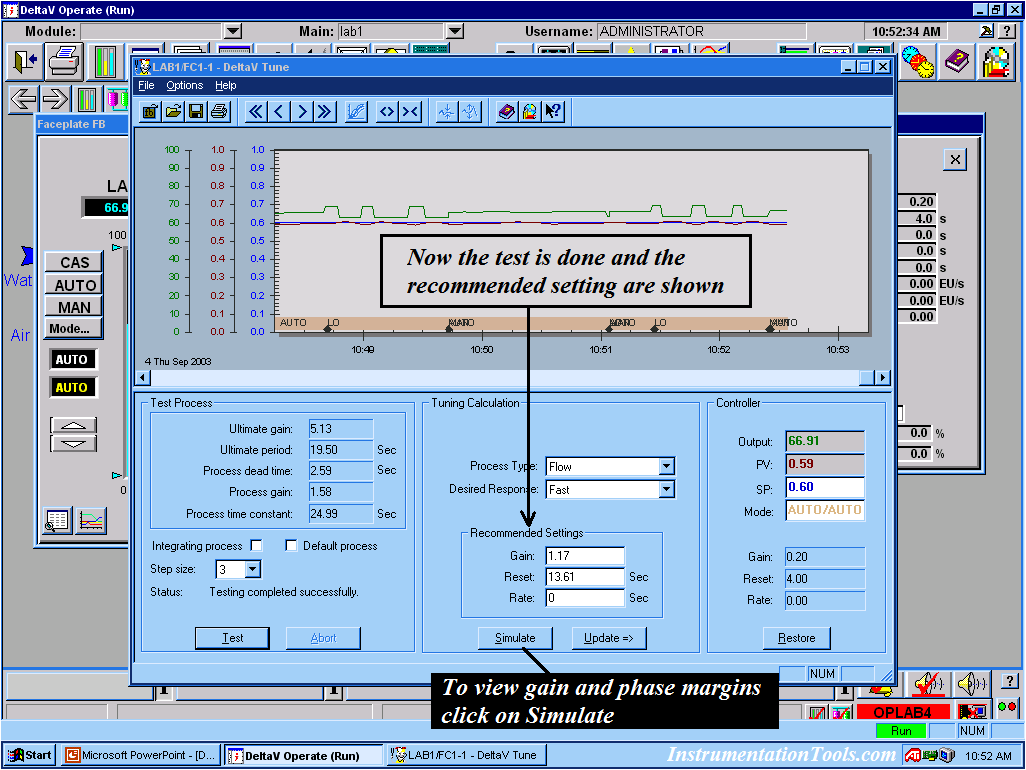
The test has now been completed and shows the recommended settings.
Click on simulation to view the gain and phase margin.
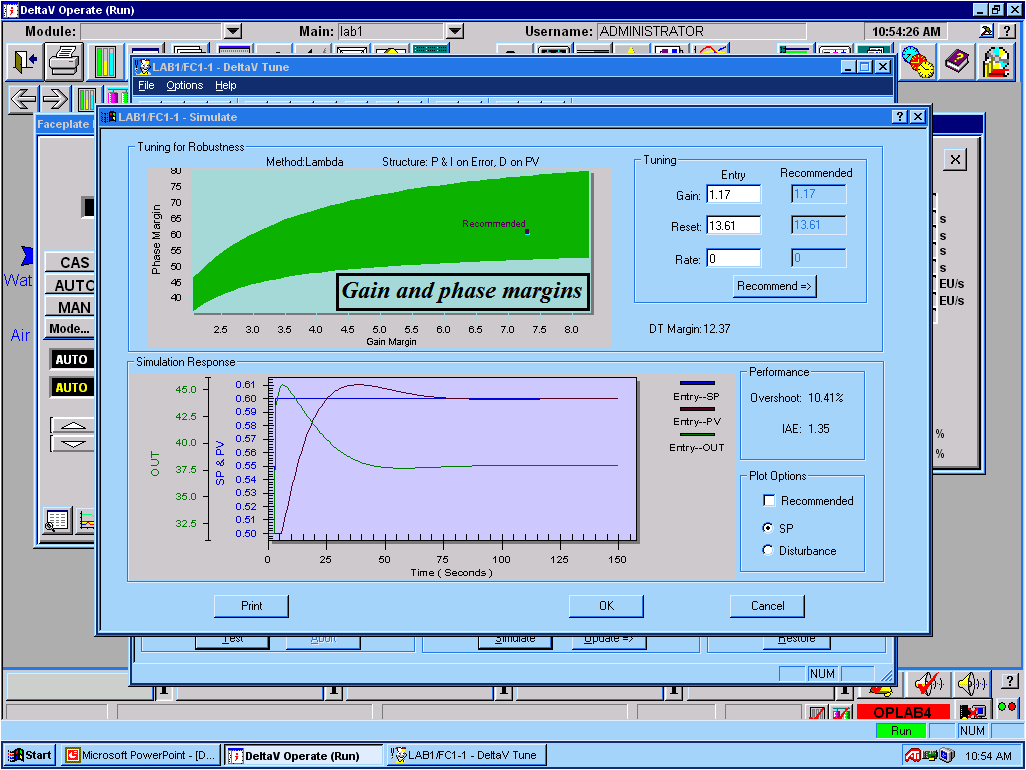
Image courtesy: Emerson
Important Tips for Tuning Loops in the DeltaV System:
- Conduct a 'reality check' on the settings.
- In some cases, you may want to use different settings.
If you have any questions or comments, please contact Pargaran.
For more information, click here.